Aadhaar Enters Google Wallet: What Users Should Know Before Adding It
- Devyani
- 3 months ago
- 3 minutes read
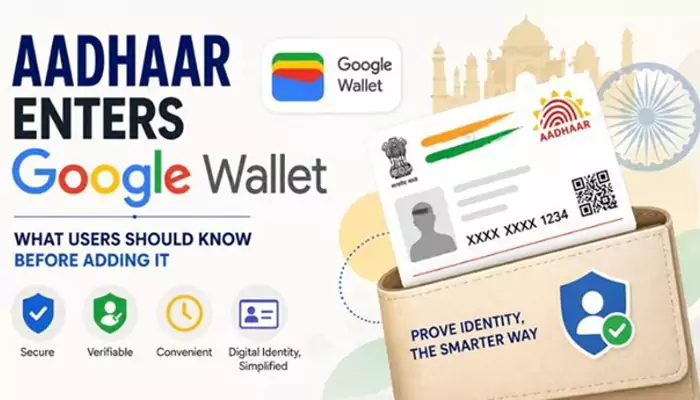
Google Wallet now supports Aadhaar Verifiable Credentials in India, giving users a new way to prove identity without pulling out the physical card every time.
There is something oddly modern about this: the same phone wallet that holds movie tickets and boarding passes may now carry an Aadhaar-based digital credential too. Not the old “scan and save a PDF” jugaad. A proper verifiable credential.
Google announced that Indian users can now save Aadhaar Verifiable Credentials directly in Google Wallet, building on its partnership with the Unique Identification Authority of India. The company said the feature is designed for everyday identity checks, with initial partners including PVR INOX, BharatMatrimony, Atlys, Mygate and Snabbit.
What Actually Changes for Users
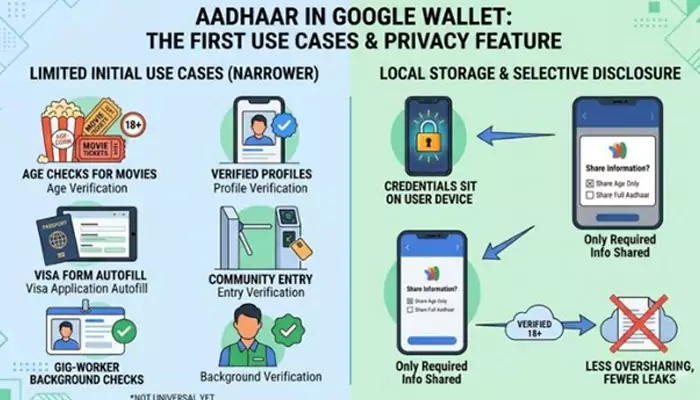
This does not mean every place will immediately accept Aadhaar from Google Wallet. The first use cases are narrower: age checks for movies, verified profiles, visa form autofill, community entry verification and gig-worker background checks. Handy, yes. Universal? Not yet.
Google says the credential sits on the user’s device and is meant to work with selective disclosure, where only the required information is shared. So, if a service only needs to verify age, it should not need the whole Aadhaar data dump. That is the important bit, frankly. Less oversharing, fewer photocopy-style leaks.
How to Add It
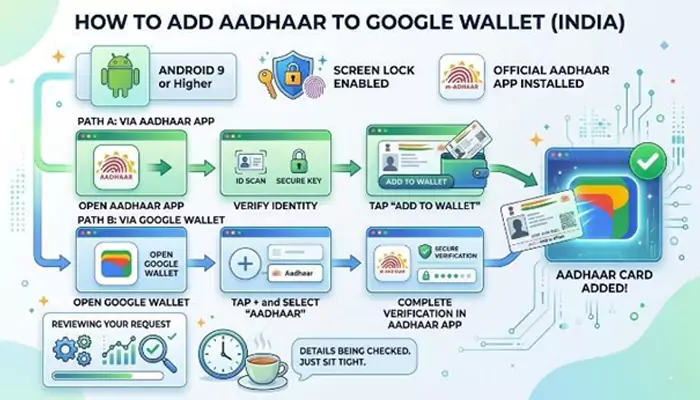
For now, users need an Android 9 or higher phone, a screen lock, and the official Aadhaar app installed. Times of India reported two paths: open the Aadhaar app, verify identity and choose “Add to Wallet”; or open Google Wallet, tap the plus button, select Aadhaar and complete verification through the Aadhaar app.
If the app shows a “Reviewing your request” message, it may simply mean the details are being checked. Sit tight, basically.
What Users Should Check Before Adding It
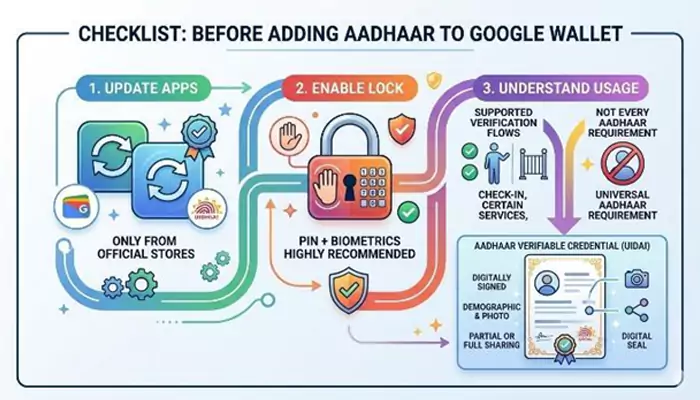
Before saving Aadhaar in Google Wallet, check three things. First, update the Aadhaar app and Google Wallet from official app stores only. Second, keep phone lock enabled, preferably biometrics plus PIN. Third, understand that this is for supported verification flows, not a magical replacement for every Aadhaar requirement.
UIDAI describes an Aadhaar Verifiable Credential as a digitally signed document issued to the Aadhaar holder, containing details such as demographic information and photograph, which may be shared in full or part for verification.
Why It Matters Now
Digital identity is moving into daily errands: cinema halls, housing gates, visa forms, profiles, and soon, probably more. That convenience is nice. Still, users should treat Aadhaar like house keys, not a random screenshot in the gallery.
Aadhaar in Google Wallet can make identity checks quicker, but users should add it only through official apps, review what data is being shared, and keep phone security strong before using it widely.

.webp)
.webp)
.webp)
.webp)